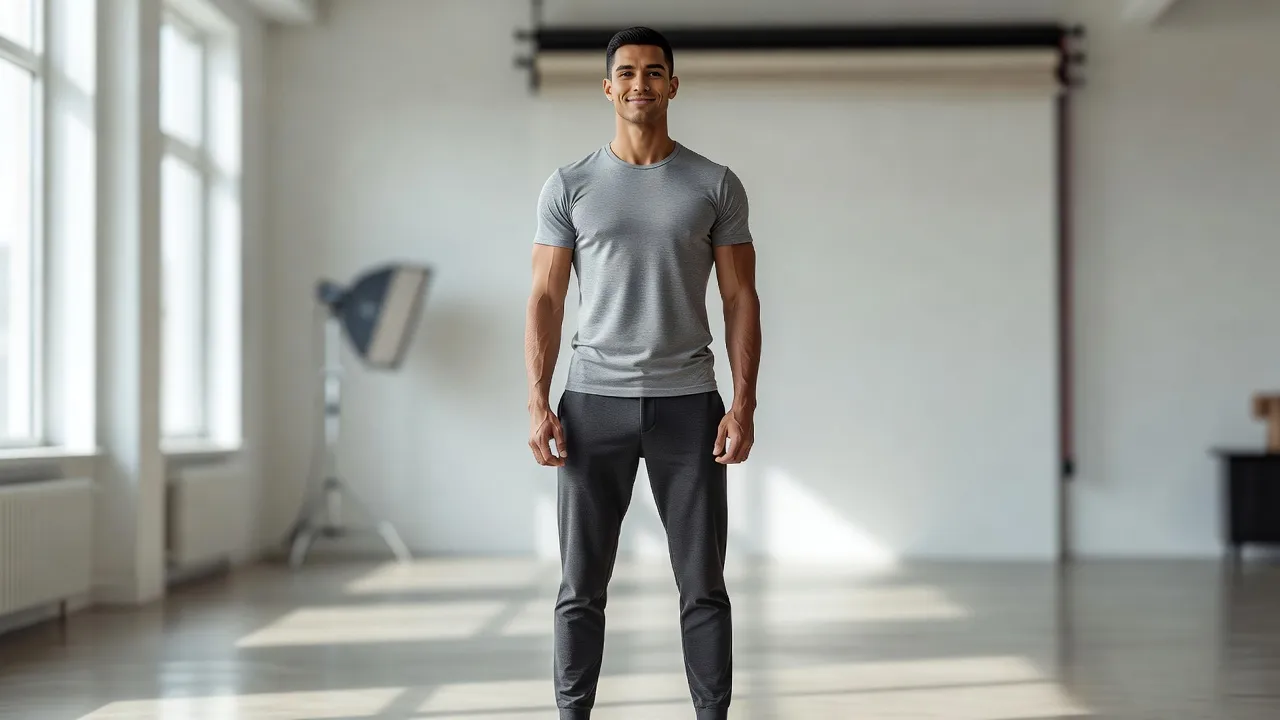
A confident pose is a physical stance that uses open body language, an aligned spine, lowered shoulders, and a slightly angled chin to project composure and authority. Unlike rigid or defensive postures, a confident pose reduces visual tension in photos while highlighting natural symmetry. Positioning your frame correctly changes how lighting hits your features, creating cleaner jawlines and a more athletic silhouette.
Whether you are preparing for a corporate headshot, documenting a fitness journey, or posting to social media, learning how to position your frame makes an immediate difference. Outdated camera advice often told people to stand up straight like soldiers, but modern photography favors natural, relaxed body positioning over stiff formality.
What is a "power pose" and how does it apply to confident photos?
A power pose is an expansive, open stance designed to project self-assurance, though in photography it simply means taking up space without looking tense. The concept originated in behavioral psychology, where researchers argued that holding wide postures could alter hormone levels. While later scientific reviews published on PubMed questioned those chemical effects, the visual impact of open posture remains undisputed in portrait photography.
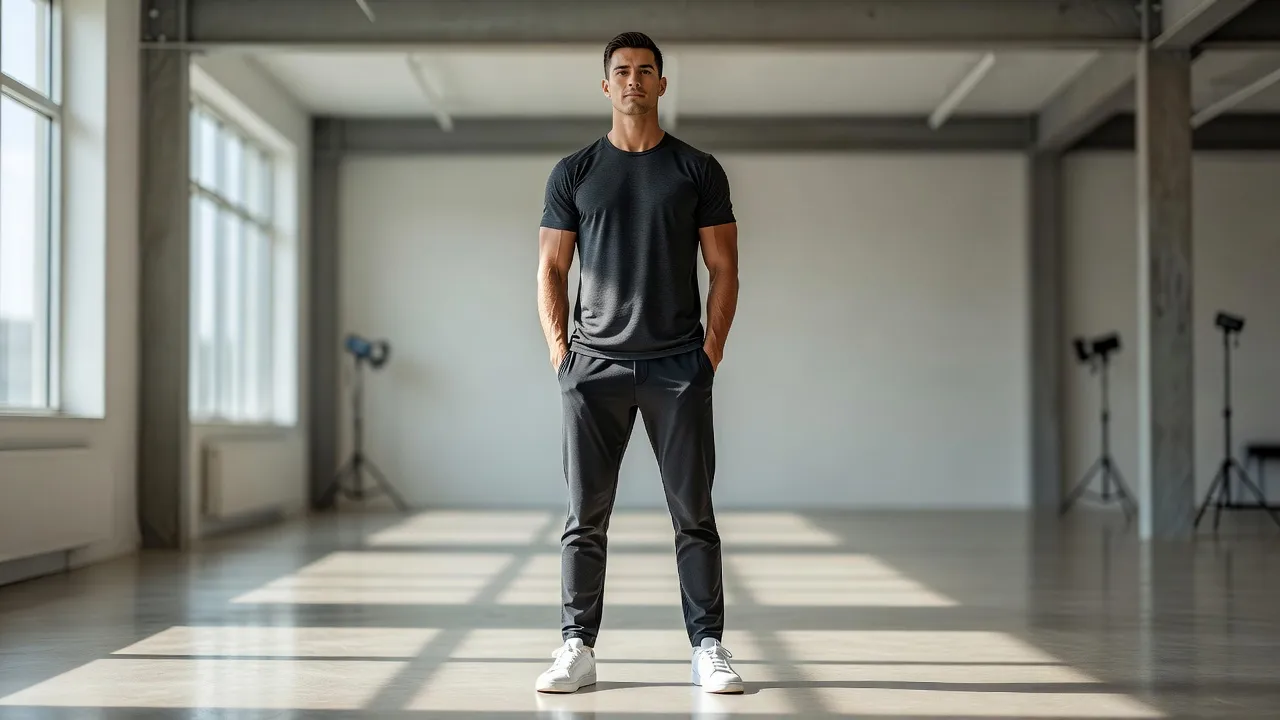
In front of a lens, applying a power pose means opening your chest and keeping your limbs away from the trunk of your body. When you press your arms flat against your torso, you compress your upper body and make your shoulders look narrower. By taking up comfortable space, you create negative space between your arms and waist, which instantly enhances your physique.
Old posing techniques from the early 2010s often forced people into exaggerated superhero stances with hands locked on hips. In 2026, camera-ready power posing focuses on subtle, natural expansion. You get the same visual authority by resting one hand in a pocket or leaning casually against a structure while keeping your core engaged.
What poses make a professional headshot look confident?
Professional headshots look most confident when you angle your shoulders 10 to 30 degrees away from the lens while leaning slightly forward from the waist. Facing the camera directly square-on can make you look like a mugshot subject or an intimidated spectator. A light body angle creates depth across your chest and chest line.
Leaning toward the camera is the single most effective way to show engagement in a professional photo. As outlined in portrait guidelines from Digital Camera World, leaning slightly forward shortens the visual distance between your face and the lens, signalling interest and accessibility.
Eye engagement matters just as much as body position. Wide, startled eyes signal fear to the human brain, whereas a gentle squeeze of the lower eyelids-often called a "squinch"-project self-assurance. Pair that subtle eye tension with a relaxed jaw to avoid looking clenched or angry.
What poses do photographers recommend for confident LinkedIn headshots?
Photographers recommend a three-quarter torso turn paired with a soft smile, or a relaxed cross-armed stance with thumbs visible, for LinkedIn headshots. The platform favors images that feel approachable yet competent.
If you choose a crossed-arm posture, keep your hands visible rather than hiding them under your armpits. Hiding your hands signals defensiveness or coldness, whereas resting your forearms lightly with your thumbs resting upward demonstrates control.
| Element | Angle/Relationship | Effect |
|---|---|---|
| Camera Lens | 10-30° angle toward torso | |
| Torso Turn | positioned below camera lens angle | Creates depth and slims waist |
| Forward Lean | positioned below torso turn | Signals engagement and authority |
The camera lens is angled 10-30° downward toward the torso turn. The torso turn and forward lean are applied in sequence, with forward lean following torso turn.
Keep your chest high without puffing it out unnaturally. A high sternum automatically aligns your spine and prevents slouching, which is the most common mistake people make during long corporate photo sessions.
How should shoulders and chin be positioned for a confident pose?
Shoulders should be rolled back and pressed down away from your ears, while your chin pushes slightly forward and tilts down a fraction of an inch. Drawing your shoulders down lengthens your neck and removes visible muscle tension. Most people unconsciously pull their shoulders up toward their ears when a camera points at them.
The chin position is critical for defining your jawline and preventing double chins. Pushing your forehead or ears slightly toward the camera lens-a technique often called "turtling"-stretches the skin under your neck.
Correct Head Alignment
- Start with ear and jawline positioned together
- Push forward toward lens
- Tilt chin down 1/2 inch
- Result: Clean Jawline
Incorrect Head Alignment
- Start with ear and jawline positioned together
- Pull back away from lens
- Tilt chin up
- Result: Compressed Neck
Tilting your chin up too high looks condescending, while pulling it backward compresses your neck tissues. The key is pushing the whole head forward first, then dropping the chin just a fraction. This angle casts a soft shadow under the jaw, making your face look lean and structured.
Where should hands be placed for a confident portrait pose?
Hands should be placed lightly in pockets with thumbs hooking outside, anchored loosely on one hip, or engaged with a prop like a jacket lapel. Empty, dangling hands look lifeless and reveal nervous energy in full-body shots.
Give your hands a job to do, but keep the grip soft. Clenching your fists or gripping your belt tightly creates visible strain in your forearms and knuckles.
- Thumb-in-pocket: Slide four fingers into your front pocket while letting your thumb rest on the outside seam.
- Single hip anchor: Place one hand on your high hip, pushing your elbow back slightly to narrow your waist visual.
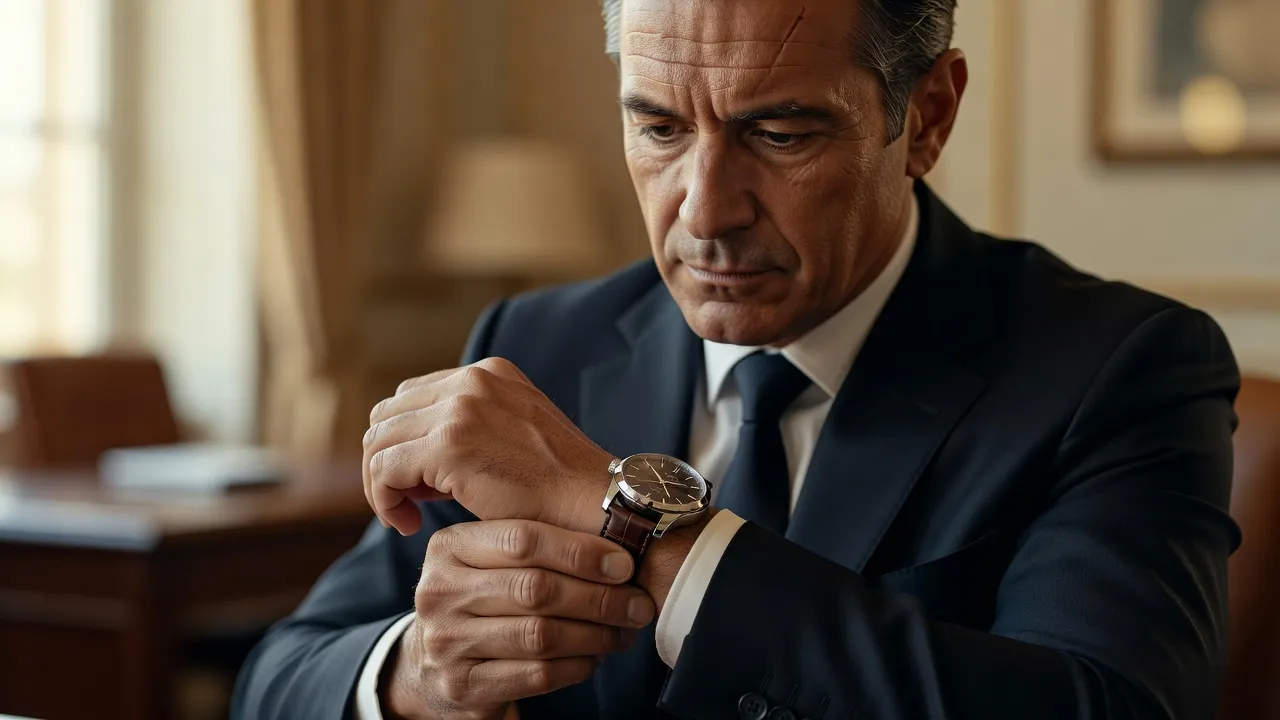
- Lapel or watch adjustment: Touch your wrist watch, cufflink, or jacket edge to give your upper body natural symmetry.
- Asymmetric resting: Place one hand in a pocket while letting the other arm hang naturally with bent fingers.
Avoid hiding both hands completely inside deep pockets. Showing your thumbs or wrists lets viewers know your body posture is deliberate, not defensive.
Scenario 1: Visualizing fitness goals before you start training
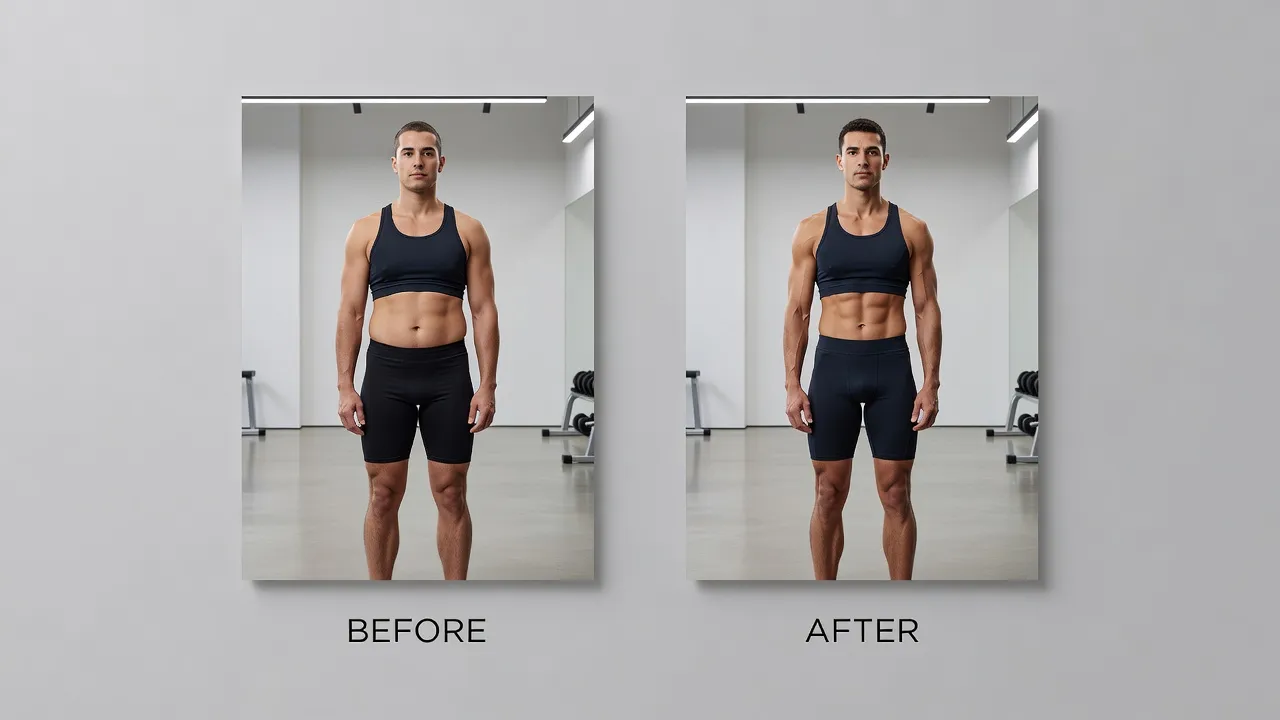
When you start a weight loss or muscle building routine, capturing a accurate baseline photo is essential. Taking a photo in an open, upright stance lets you see your current muscle frame clearly, giving you an honest baseline for tracking physical progress over time.
A good baseline photo requires neutral lighting and zero slouching. Stand with your feet hip-width apart, your weight balanced evenly, and your arms held slightly away from your sides. This reveals your natural frame so you can accurately compare your progress when looking at before and after photos months later.
If you want to see what your future results might look like today, tools like BodyBlend let you visualize target physics instantly on your own photos. As of October 2026, the app allows you to preview specific physique changes without background distortion, helping you stay motivated toward your fitness targets.
Scenario 2: Capturing a confident pose for full-body social media pictures
Posting full-body photos on platforms like Instagram or TikTok requires a balance between casual style and deliberate posture. A stiff corporate stance looks out of place in lifestyle shots, while slouching makes your clothing look ill-fitting.
To pull off a relaxed yet athletic full-body look, shift your body weight onto your back leg. Shift your hips slightly back, bend your front knee, and point your front toe toward the camera. This angle lengthens your legs and creates a smooth S-curve along your torso.
If your goal is showing off a toned body, keep your arms from clamping down flat against your sides. Raising one hand to touch your hair, sunglasses, or bag strap creates empty space around your waist, instantly making your midsection look leaner.
Scenario 3: Posing for corporate executive photos and speaking announcements
Corporate announcements and speaker bios demand authority without coming across as cold or distant. The key is combining stable lower-body anchoring with an expressive, warm facial posture.
Standing behind a podium or desk often hides your posture entirely, leading to slouched shoulders. If you are standing near a desk, lean your lower hip lightly against the edge while crossing your ankles. This maintains an executive air while keeping your upper body relaxed and approachable.
When seated for a portrait, sit on the front edge of the chair rather than leaning back into the cushions. Leaning back flattens your lower spine and causes your abdomen to pool forward. Sitting forward forces your core muscles to engage, maintaining an upright posture effortlessly.
Scenario 4: Casual lifestyle portraits and athletic outdoor shots
Outdoor and athletic photography works best when you capture dynamic movement rather than static poses. Posing while walking or mid-stride brings natural energy to your photos that static stances cannot replicate.
To fake a walking shot reliably, use the "slow march" technique. Walk in slow motion toward the camera, stepping heel-to-toe while letting your arms swing naturally. This movement forces your shoulders back and keeps your neck muscles from looking tense.
If you are posing in athletic apparel, emphasize your shoulder-to-waist ratio by squaring your chest to the sun while turning your hips 15 degrees. If you want to refine how your athletic photos look before sharing them, testing tools like an AI muscle generator can help you preview how added definition changes your shoulder line.
Scenario 5: Fixing bad camera angles and photo distortion
Even with perfect posture, smartphone camera lenses can warp your body proportions. Wide-angle mobile lenses distort anything close to the frame edges, turning normal shoulders into sloped edges or foreshortening your legs.
Lens Distortion Effects on Body Posture
| Lens Area | Effect |
|---|---|
| Wide Angle Lens Edge | Stretches edges (makes shoulders look uneven) |
| Lens Center Point | Compresses center (can flatten midsection) |
| Solution | Stand 6-8 feet back, use 2x-3x optical zoom |
To fix lens distortion naturally, ask the photographer to step back 6 to 8 feet and zoom in using 2x or 3x optical zoom. Telephoto focal lengths flatten background perspective and depict your true physical proportions accurately.
When manual posing and focal adjustments are not enough, digital body editing offers a quick correction path. Older apps relied on manual Liquify tools that warped background lines, revealing edit marks to everyone. Modern solutions like the BodyBlend app use background protection algorithms to preserve straight lines while editing body shape in one tap.
Posture and Posing Options Compared by Use Case
Choosing the right posture setup depends on your venue, lighting, and goals. The comparison table below breaks down different posing strategies and digital options by effort, cost, and ideal use case.
| Posture Option / Tool | Primary Requirement | Cost / Effort | Ideal Use Case | Constraint / Manual Step Removed |
|---|---|---|---|---|
| BodyBlend AI Editor | iOS device, photo upload | Free trial, then $9.99/wk or $14.99/mo | Fitness goal visualization, social media photo tuning | Eliminates manual Liquify warping, preserves background lines automatically |
| Power Pose (Expansive) | Open space, wide foot stance | Free, 0 minutes setup | Public speaking promos, high-authority media | Removes slumped shoulder appearance through physical extension |
| Three-Quarter Lean | Surface or desk, 2x camera zoom | Free, requires brief practice | LinkedIn headshots, executive profiles | Removes flat, mugshot-style broadness by introducing body depth |
| Weight-Back Shift | Clear floor area, angled feet | Free, instant execution | Full-body outfit photos, lifestyle shots | Removes stiff, vertical torso lines by creating a natural waist curve |
| Professional Studio Session | Lighting gear, photog consultation | $150 - $500 per session | High-end corporate sites, billboards | Removes trial-and-error lighting setup through pro guidance |
How to train your body for a confident posture off-camera
Good camera posture starts long before you step in front of a lens. If your daily routine involves sitting at a desk, your chest muscles naturally tighten while your upper back muscles weaken, pulling your shoulders forward into a permanent hunch.
According to posture research published by Harvard Health, daily postural training strengthens the deep core and upper back muscles needed to maintain upright alignment without fatigue. Incorporating simple mobility exercises into your week fixes hunching at the root.
- Doorway Chest Stretches: Place your forearms on a door frame at 90-degree angles and step forward slowly until you feel your chest open. Hold for 30 seconds.
- Face Pulls or Band Pull-Aparts: Use a resistance band to pull toward your forehead, squeezing your shoulder blades together at the end of the motion.
- Chin Tucks: Sit upright, look straight ahead, and gently pull your chin backward as if making a double chin. Hold for 5 seconds to strengthen neck flexors.
- Planks: Hold a forearms plank for 45 seconds daily to build the endurance in your abdominal wall required to stay upright without arching your lower back.
Practicing these movements three times a week ensures that when a camera points your way, your shoulders naturally settle into a low, broad position without conscious strain.
Frequently Asked Questions
What is a confident pose?
A confident pose is a physical stance characterized by an open chest, relaxed shoulders, an aligned spine, and direct eye contact. It eliminates defensive signals like slouching or crossed wrists while creating clear space around your waist and neck.
How do I stop looking stiff in photos?
To stop looking stiff, avoid holding your breath when the camera shutter clicks. Exhale through your mouth right before the shot, keep your hands engaged with a prop or pocket, and move your body slightly between frames instead of freezing.
What is the best pose for double chins in photos?
The best pose to prevent a double chin is pushing your head slightly forward toward the lens and tilting your chin down a fraction of an inch. This stretches the skin under your jawline and creates a defining shadow beneath your chin.
Should I stand straight or angle my body for headshots?
You should angle your torso 10 to 30 degrees away from the camera while turning your head back toward the lens. Facing the camera directly square-on makes your shoulders look unnaturally wide and removes visual depth from your portrait.
What should men do with their hands in full-body photos?
Men should hook one thumb into a front pocket, adjust a wrist watch, or anchor one hand lightly on a hip. Leaving both arms dangling straight down makes you look unprepared and tense.
What should women do with their arms to look slimmer in photos?
Women should lift their arms slightly away from their torso by placing a hand on a hip, touching their collarbone, or holding a small accessory. Pressing arms flat against the torso flattens the upper muscle tissue, making arms appear wider than they are.
How can I visualize muscle gains on my photo before working out?
You can upload your picture to an AI body editing app like BodyBlend to preview muscle definition or shape changes on your frame. This lets you visualize realistic fitness targets directly on your current photos.
Why do my legs look short in full-body camera shots?
Legs look short when the camera lens is positioned above eye level pointing downward. To make legs look longer, lower the camera angle to waist or chest height, step back, and shift your weight onto your rear leg with one foot pointed forward.