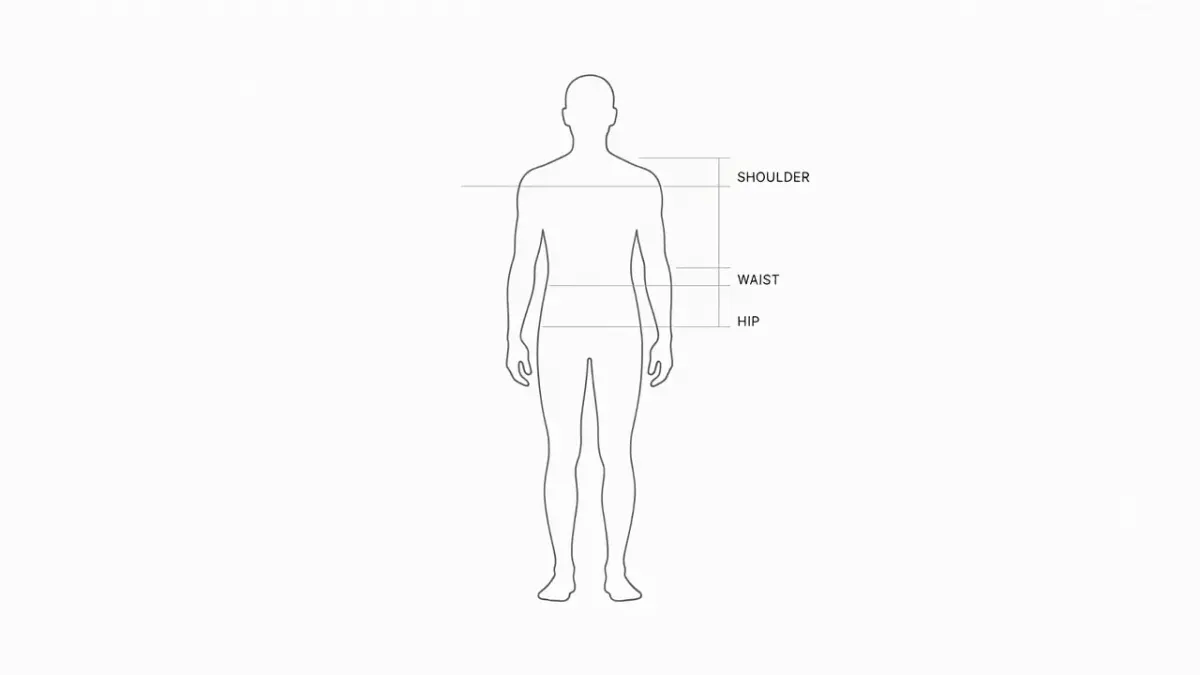
Body curves refer to the natural contours formed by a person's underlying bone structure, muscle distribution, and subcutaneous fat deposition, primarily defined by the proportions between the shoulders, bust, waist, and hips. Unlike overall body weight, curves describe how mass is distributed across the frame. Understanding these contours helps individuals set realistic fitness targets and accurately visualize body goals on photos.
What most people get wrong when trying to understand or modify their silhouette is treating body weight as the sole driver of body shape. Dropping pounds on a scale changes your overall mass, but it does not automatically create a classic hourglass contour if your underlying muscle ratio or skeletal proportions do not support it. Trying to force a specific shape through extreme dieting often leads to muscle loss rather than targeted shaping.
Whether you want to visualize muscle growth before starting a gym routine or enhance your social media photos, understanding the mechanics of body contours makes a significant difference.
What is a curvaceous type body?
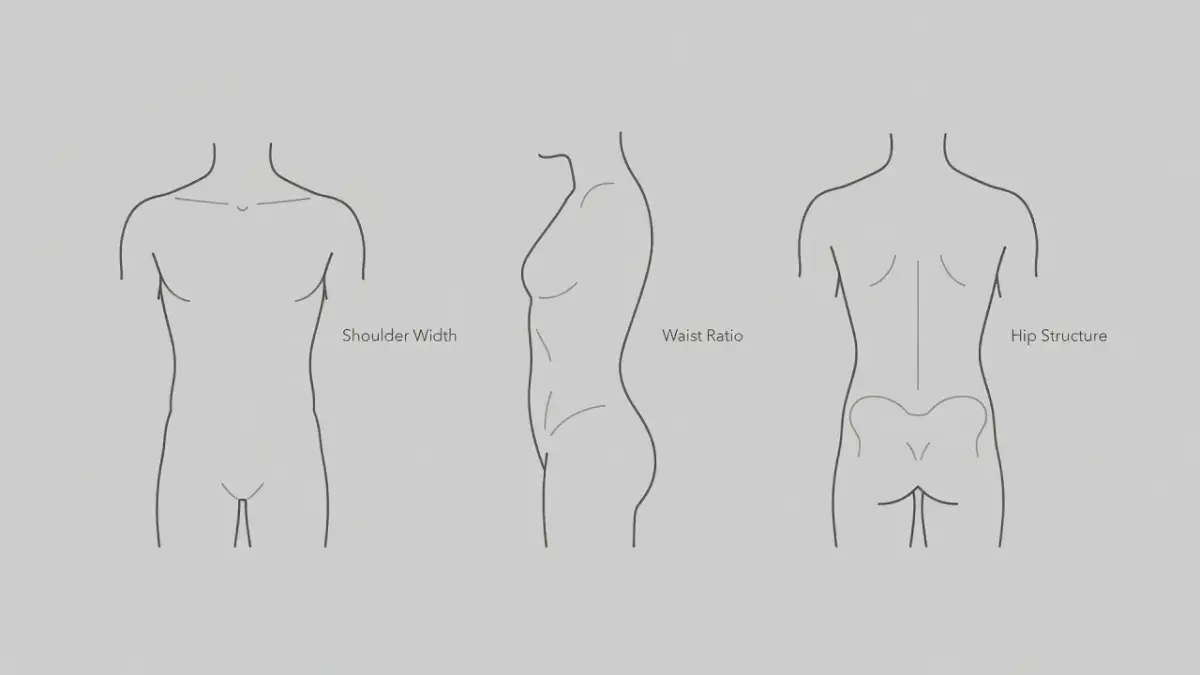
A curvaceous type body is a silhouette characterized by a clearly defined waist line relative to wider hips and a fuller bust or shoulder line. This shape creates an optical arc between the upper body, midsection, and lower body.
Anthropometric research published by the World Health Organization defines abdominal obesity and body shape risks using the Waist-to-Hip Ratio (WHR). A traditional hourglass or curvaceous contour typically features a WHR of 0.70 or lower, meaning the waist circumference is 70 percent (or less) of the hip measurement.
The primary factors that create a curvaceous body shape include:
- Pelvic Bone Structure: A wider iliac crest naturally creates a more pronounced sweep at the hips, regardless of body fat levels.
- Fat Deposition Patterns: Estrogen drives subcutaneous fat storage primarily around the hips, thighs, and buttocks, while lower estrogen or higher cortisol encourages visceral storage around the abdomen.
- Muscular Hypertrophy: Building the gluteus medius, gluteus maximus, and latissimus dorsi muscles creates the visual illusion of a smaller waist by broadening the outer frame.
If you are evaluating your own proportions, reviewing our detailed guide on the types of hip shapes will help you identify your natural skeletal baseline.
What is the difference between bone structure, muscle, and fat in body shape?
Bone structure dictates your baseline frame width, muscle provides adjustable volume in targeted areas, and fat deposition adds soft contour over your skeletal frame. Confusing these three layers is the single biggest reason people fail to achieve their target body goals.
Many people assume that doing thousands of side bends will shrink their midsection to create deeper body curves. In reality, overworking the obliques with heavy resistance can actually thicken the waistline, decreasing the visual ratio between the waist and hips.
| Component | Examples | Characteristic |
|---|---|---|
| Bone structure | Pelvic width, ribcage size, clavicles | Fixed baseline frame |
| Muscle development | Glutes, latissimus dorsi, quads | Expandable through training |
| Fat distribution | Subcutaneous vs Visceral | Genetically regulated storage |
Bone structure forms the fixed baseline frame. Muscle development builds upon this frame and is expandable through training. Fat distribution is applied over muscle development and is genetically regulated storage.
Here is how each layer affects your body contours:
- Skeletal Frame (Unchangeable): Your clavicle length and pelvic width set the absolute boundaries for your waist-to-shoulder and waist-to-hip proportions.
- Muscular Base (Highly Changeable): Strength training allows you to add targeted volume. For example, expanding the upper back (lats) makes the waist appear smaller from the front and back.
- Fat Layer (Variable): Subcutaneous fat smooths out transitions between muscles. You cannot choose where your body burns fat, which is why overall body composition matters more than spot reduction.
To learn more about how frame proportions interact with body composition, check out our explainer on body proportions and frame types.
How do digital tools edit and simulate body curves in photos?
Digital body visualizers simulate body curves by modifying pixel grids, adjusting 3D body meshes, or using generative artificial intelligence to redraw human contours. These tools let users preview potential fitness outcomes or refine photos for digital sharing.
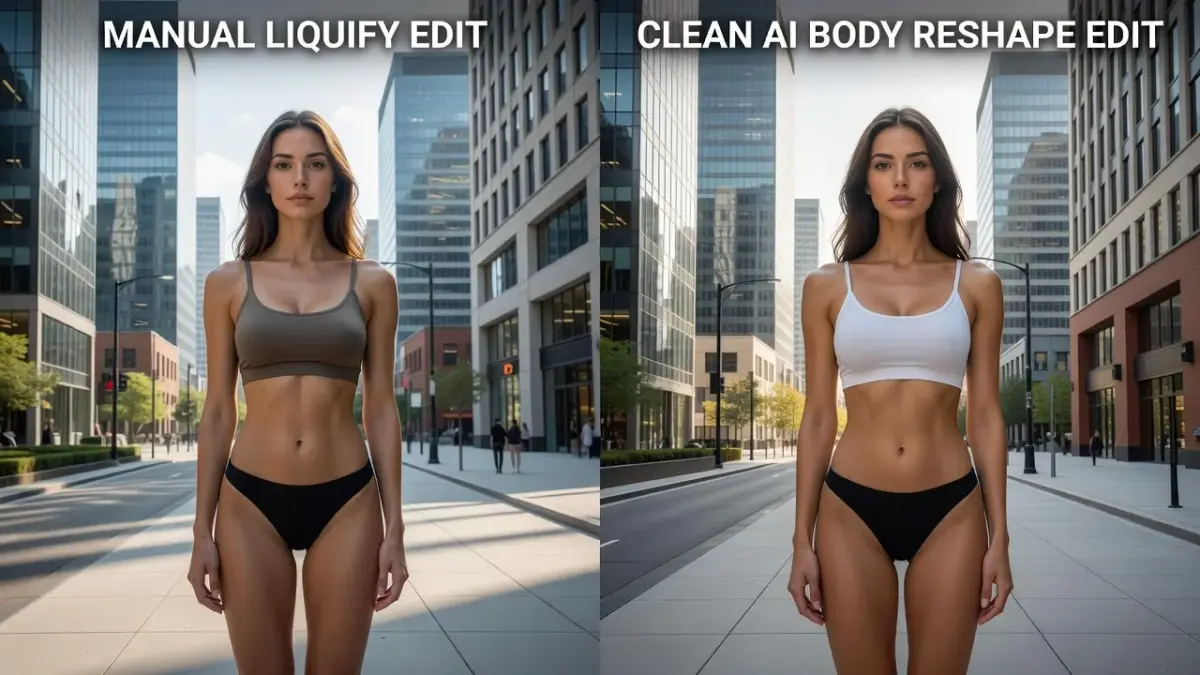
Historically, editing body shapes meant using manual distortion tools like Photoshop's Liquify command or manual portrait editors. These legacy methods drag pixels across the screen, which almost always warps straight background lines, doorframes, and wallpaper patterns.
Modern photo editing has shifted toward AI-driven neural networks that separate the subject from the background.
| Visualizer / Editing Method | Core Technology | Background Protection | Ease of Use | Typical Target Audience |
|---|---|---|---|---|
| Manual Liquify (Photoshop/Facetune) | Manual pixel pushing & manual brush dragging | Low (distorts background lines easily) | Steep learning curve | Experienced photo editors |
| BodyBlend AI Reshaper | One-tap AI generative body redrawing | High (keeps background and face intact) | Instant (one-tap presets) | Social media users & fitness goal visualizers |
| Generative AI Prompts (Midjourney) | Text-to-image synthesis | None (creates an entirely new photo) | Moderate (requires prompt tuning) | Digital artists & concept designers |
| Interactive 3D Mesh Visualizers | Parametric 3D body model scaling | N/A (uses synthetic 3D avatars) | Moderate (adjusts sliders) | Clinical fat-loss planning |
When using BodyBlend, the editing engine isolates the body silhouette from the background scene. Instead of smearing pixels outward, the app uses AI to generate realistic muscle tone or curvier body proportions while leaving your original face, skin tone, clothing textures, and background completely unchanged.
Why is visual goal tracking useful for fitness transformations?
Visualizing your target physique on your actual body provides a realistic mental anchor that boosts motivation far better than abstract target numbers on a scale. Seeing a plausible preview of your body with enhanced curves or added muscle mass helps set clear expectations for training.
A study indexed in the National Institutes of Health (NIH) PubMed database highlights that body image perception directly influences adherence to exercise regimens. When people struggle to imagine how their body will transform, they are more likely to abandon their fitness programs prematurely.
Using realistic body preview tools offers several advantages for fitness tracking:
- Focuses on Shape Over Weight: Scale weight fluctuates daily due to water retention, while visual tracking emphasizes body composition changes.
- Identifies Target Muscle Groups: Visualizing a full hourglass or V-taper frame shows whether you need to prioritize glute workouts, upper back training, or general body fat reduction.
- Prevents Unrealistic Expectations: Seeing how your actual face and height look with modified curves keeps your goals grounded in your real anatomical frame.
If you are looking for dedicated platforms to model your fitness progress, read our comparison of the best AI body editor apps available on iOS.
How can you visualize body curves on your photos with BodyBlend?
You can visualize refined body curves on your photos in seconds by uploading a photo to BodyBlend and selecting a targeted body shape or body part preset. The app automates complex selection masks so you do not need photo editing skills.
As of October 2026, the BodyBlend app on the App Store offers dedicated shape generators optimized separately for male and female body frames. The app is free to download and includes one free generation so you can test the results before subscribing.
Step 1: Upload a clear, well-lit photo
Choose a full-body or half-body photo where your posture is natural. Photos taken against patterned backgrounds or in gym environments work well because BodyBlend prevents background warping. Our posing guide for slimmer-looking photos can help you find flattering angles.
Step 2: Choose a body preset or targeted body edit
Select from 17 preset body shapes (such as Curvy, Hourglass, Fit, or Slim) or choose from 11 single body part edits. For example, you can select small waist, muscular arms, or visible abs to customize specific areas.
- Upload Photo
- Select Preset, which offers either 17 Body Shapes or 11 Body Part Edits
- AI Generation, which reshapes the body while keeping face and background safe
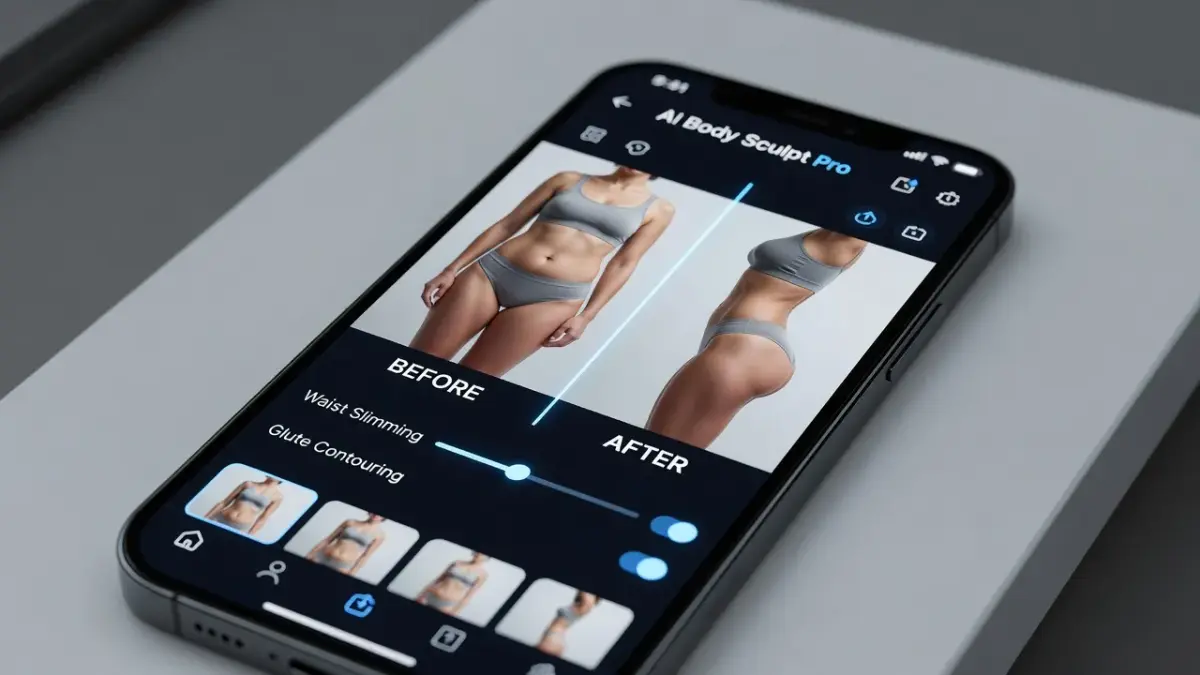
- Save & Compare, which provides Before/After slider comparison
Step 3: Stack edits and compare before-and-after
If you want to refine multiple areas, you can stack edits together - such as combining a smaller waist edit with a glute enhancement. Use the built-in slider to compare the generated preview against your original photo before saving it directly to your camera roll.
Continued access to BodyBlend Pro costs $9.99 per week or $14.99 per month, allowing unlimited generations for fitness visual goals or social media photo editing.
What are the common myths about changing your body shape?
The most common myth about body curves is that you can spot-reduce fat from your waist while preserving fat on your hips through specific exercises. Human physiology dictates that body fat loss occurs systemically across the entire body based on genetics.
Here is the truth behind the three most frequent misconceptions:
Myth 1: Corsets and waist trainers permanently shrink your ribcage
Waist trainers compress soft tissue temporarily while worn, but they do not permanently alter your bone structure or burn visceral fat. Relying on tight compression garments for long periods can actually weaken deep core stabilizer muscles like the transverse abdominis.
Myth 2: Lifting weights makes women look bulky instead of curvy
Hypertrophy training in targeted areas - specifically the upper back, shoulders, and glutes - is actually the most effective way to accentuate natural body curves. Building muscle mass provides structural support under the skin, creating a firmer, more defined contour.
Myth 3: Photo edits always look fake and distorted
Older Liquify tools earned a bad reputation because they bent surrounding objects like floorboards and doorframes. Modern AI editors separate the subject from the background environment completely, yielding natural-looking edits that preserve lighting and skin textures.
For details on how physical transformations affect glute appearance, see our complete breakdown on the types of buttocks and glute shapes.
How do fitness apps compare for modeling body curves?
Fitness visualizer apps vary widely, ranging from basic weight-loss simulator tools to advanced generative AI shape editors. Choosing the right tool depends on whether you want a rough 3D avatar prediction or an accurate edit on your real photograph.
An overview of current tools on the market reveals key differences in how body curves are rendered:
- 3D Avatar Simulators: Tools like ModelMyDiet generate a generic 3D mannequin based on your height and weight inputs. While helpful for tracking general size changes, they do not reflect your real skin, clothing, or facial features.
- Manual Retouching Apps: Applications like Facetune rely on manual distortion sliders. They give you fine-grained control, but achieving smooth, believable body curves without skewing the background requires practice and patience.
- Generative AI Apps: Tools like BodyBlend utilize machine learning to redraw human contours in single-tap presets. This approach delivers the highest realism on actual photos while eliminating background warp artifacts.
If you are deciding between different photo shape visualizers, I recommend starting with an AI-driven tool that offers free generation trials. Testing how an app handles your real clothing patterns and background lighting gives you a clear sense of its quality before you make any subscription commitment.
Frequently Asked Questions
What defines a curvaceous body shape?
A curvaceous body shape is defined by a pronounced difference between a narrow waist measurement and wider hip and bust dimensions. This silhouette relies on pelvic bone structure, hormonal fat distribution patterns, and surrounding muscle development.
Can targeted exercises build bigger body curves?
Yes, targeted resistance training can build body curves by increasing the size of specific muscle groups. Building the gluteal muscles widens the hips from the side and back, while developing the latissimus dorsi muscles broadens the upper frame to make the waist look smaller.
Why do background lines warp when editing body curves in photos?
Background lines warp when using traditional manual Liquify tools because those editing features push all pixels within a brush radius indiscriminately. AI photo editors avoid this issue by masking the person and redrawing the body contours independently of the background layer.
Is spot reduction of waist fat possible through diet?
No, spot reduction of body fat is physically impossible. The body draws energy from fat stores across the entire body in a pattern governed by genetics, hormones, and overall calorie balance.
How much does the BodyBlend app cost to edit photos?
BodyBlend is free to download on iOS and includes one free generation. Full access to BodyBlend Pro features requires a subscription, priced at $9.99 per week or $14.99 per month depending on your selected billing plan.
Can AI body editors preserve facial features while editing body curves?
Yes, modern AI body editors like BodyBlend isolate facial features, skin tone, and clothing textures during processing. The artificial intelligence only redraws the target body areas, keeping your facial features completely unchanged.
What is the ideal waist-to-hip ratio for an hourglass silhouette?
According to health and anthropometric standards, an hourglass silhouette typically features a waist-to-hip ratio of 0.70 or lower. This ratio means the waist measurement is 70 percent or less of the total hip circumference.